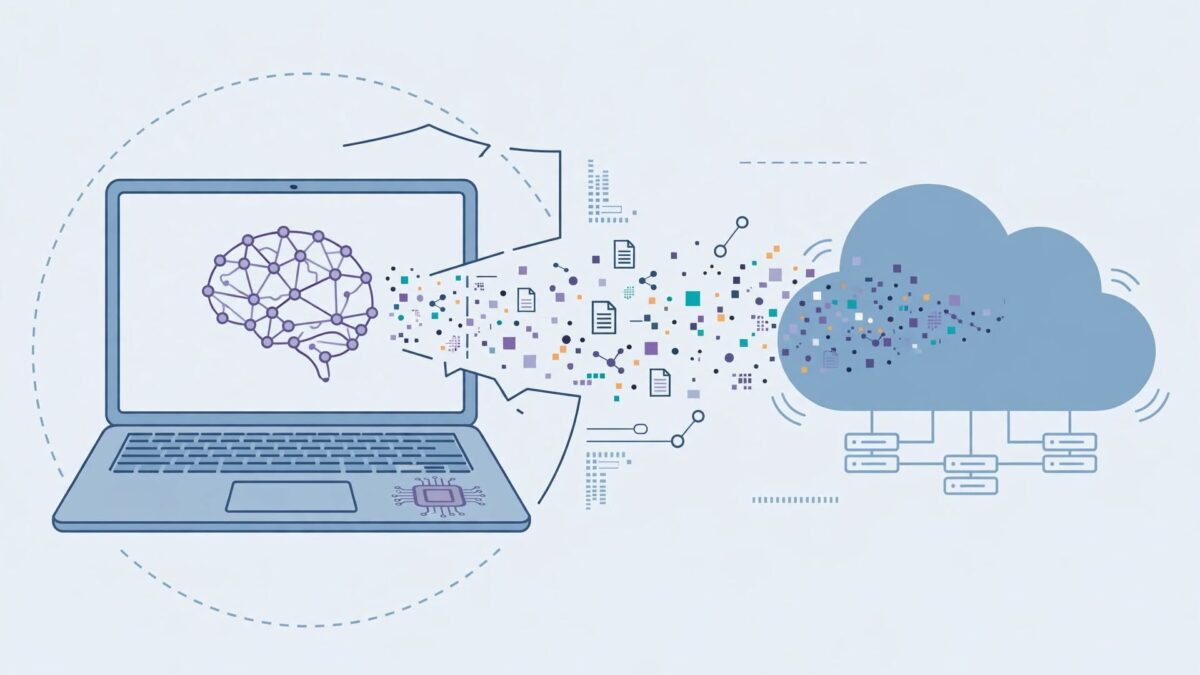
Local AI models run entirely on your own computer instead of a cloud server — genuinely more private in principle, cheaper at high usage, and usable offline. But “local” doesn’t automatically mean private: one popular tool marketed as local-first ships telemetry switched on by default, and a well-known coding assistant advertised as working offline still sends some data to the cloud even in its “local” mode. Which model you can actually run also depends entirely on your computer’s RAM, not on a leaderboard ranking — and the honest answer for most small business laptops is smaller than the marketing around local AI usually suggests.
“What’s the best local AI model” isn’t the first question worth asking
The more useful first question is whether the specific tool you’re about to install actually behaves the way “local” implies. The label describes where the model’s weights sit, not what the surrounding application does with your data — and those turn out to be two different things worth checking separately, the same way our piece on shadow AI for small business recommends checking a cloud tool’s actual training-data setting rather than trusting its category.
“Local” doesn’t automatically mean private — check the actual setting
This is documented, not hypothetical. AnythingLLM, one of the most widely recommended desktop tools for local document chat, ships telemetry on by default in an app marketed as local-first — you have to find the setting and turn it off yourself. GitHub’s Copilot CLI has a similar split: since April 2026 it can run entirely against a local model like Ollama with telemetry disabled, but its IDE extension component still sends inline code completions to the cloud even when you’re using your own key and a local backend — a distinction most comparison roundups don’t call out, quietly listing the whole product as either “cloud” or “local” when it’s genuinely both depending on which part of it you’re using. If you’re choosing a local tool specifically to keep client or business data off someone else’s server, verify that behavior yourself in the settings before assuming the word “local” on the download page covers it.
Local doesn’t mean automatically safe, either
Running software on your own machine removes one risk — a cloud provider mishandling your data — while leaving ordinary software security risk fully in place, a distinction worth keeping in mind alongside our broader guide to what’s actually worth paying for, since a free local tool isn’t automatically the lower-risk choice just because it’s free and offline. AnythingLLM disclosed a CVSS 9.6 remote-code-execution vulnerability in March 2026, triggered by the model’s own streamed response, fixed in version 1.11.2 — a reminder to keep any local AI tool updated the same way you would any other software with a network-facing component. Our OpenClaw review covers a more severe version of the same lesson for agent frameworks specifically: OpenClaw runs with real shell and filesystem privileges, has had its own disclosed CVEs, and needs the same sandboxing and security-audit discipline as any tool with that level of system access, local or not.
What you can actually run depends on your RAM, not a leaderboard
This is the part most general “local AI” content skips in favor of naming whatever model tops a benchmark that week. The memory budget you actually have decides far more than ranking does:
| RAM available | What’s genuinely usable |
|---|---|
| 16GB | Gemma 4 12B is a genuinely capable assistant at this tier |
| 32GB | Qwen3.6-35B-A3B is currently the best all-round model most people can run locally |
| 128GB (a maxed-out Mac Studio, a high-end mini PC, or a multi-GPU workstation) | gpt-oss-120b and Nemotron 3 Super run comfortably; Qwen3-Coder-Next handles agentic coding; DeepSeek-V4-Flash at 3-bit quantization is about the largest thing that still fits |
Frontier open-weight models — GLM-5.2, Kimi K3, and DeepSeek-V4-Pro among them — are not reachable on a single 128GB machine at all. If a comparison chart lists these alongside smaller models as options for “local” use, that’s a good sign the chart wasn’t written with a real hardware budget in mind. Our DeepSeek V4 vs GLM-5.3 comparison covers this same ceiling from the other direction — GLM-5.3’s smaller “Flash” variant still needs 4x H200 GPUs, hardware no small business is running on a laptop, while our DeepSeek V4 review covers the one piece of genuinely good news here: DeepSeek has been adapted to run on Huawei’s Ascend chips at parity with Nvidia, which matters if GPU sourcing rather than raw capacity is your constraint.
When local actually makes sense, and when it doesn’t
At low usage, a cloud API is usually cheaper and easier — no hardware to buy, no models to manage, and you’re not maintaining a local inference stack. The case for local strengthens specifically at high, sustained usage, or when privacy and data residency are the actual requirement rather than a nice-to-have. Before committing to local hardware for cost reasons alone, run your actual expected usage through our AI Cost Calculator and compare that monthly estimate against the upfront hardware cost amortized over a realistic period — for a lot of small businesses, the crossover point is further out than the “ditch your subscription” framing around local AI usually implies. If privacy is the actual driver, document that decision the way our AI usage policy guide recommends — name the specific tool, confirm its telemetry is off, and put a review date on it rather than treating “we run it locally” as a permanent, self-enforcing guarantee.
Which tool to actually start with
- Ollama — the default recommendation for scripting, development, or connecting a local model to an existing app; runs from the command line with a simple, OpenAI-compatible API.
- LM Studio — the shortest path for a non-technical user who wants a visual interface with no command line involved.
- Jan.ai — built around a genuine offline-first claim; it’s designed to keep working with no network connection at all, which is a useful practical bar to hold any “local” tool to.
- AnythingLLM — the most turnkey option for chatting with your own documents, but given the telemetry-on-by-default finding above and its disclosed 2026 vulnerability, update it immediately after installing and turn off telemetry in Settings before pointing it at anything sensitive.
Three quick checks before trusting any “local” tool with real data
- Find the telemetry setting and turn it off — don’t assume “local” in the product name means it’s off by default.
- Check whether any component still calls out to the cloud — a browser extension, an IDE plugin, or an auto-update feature can quietly send data even when the core model runs locally.
- Check for known CVEs before installing, and keep the tool updated after — running on your own machine doesn’t exempt software from ordinary security risk.
Are local AI models actually more private than cloud AI?
They can be, but only if the specific tool is actually configured that way. Some tools marketed as local-first ship telemetry on by default, and others send certain features to the cloud even while running the core model locally — check the settings yourself rather than trusting the label.
What hardware do I need to run a local AI model?
It depends on the model. As a rough guide, 16GB of RAM supports a genuinely useful smaller model like Gemma 4 12B, 32GB opens up stronger all-round options like Qwen3.6-35B-A3B, and 128GB is needed for the largest models that still fit on a single machine — frontier models like GLM-5.2 or DeepSeek-V4-Pro aren’t runnable locally at all without server-grade hardware.
Can I run DeepSeek or GLM models locally?
Smaller distilled or quantized versions, yes, with enough memory. The full-size flagship versions of both — DeepSeek-V4-Pro and GLM-5.2 or 5.3 — require far more hardware than a single consumer machine provides, even a well-specced one.
Is Ollama or LM Studio better for a small business?
Ollama suits scripting and connecting a local model to an existing tool or workflow. LM Studio suits someone who wants a visual interface with no command-line setup. Neither is objectively better — the choice depends on whether you’re building something or just want to chat with a model directly.
Do local AI models cost anything to run?
No ongoing per-token fee, but there’s an upfront hardware cost and, at meaningful scale, real electricity use. Whether that’s actually cheaper than a cloud subscription depends on your usage volume — run your own numbers before assuming local is automatically the cheaper option.
Is running an AI model locally actually safe from security risks?
Not automatically. Running locally removes the risk of a cloud provider mishandling your data, but the software itself can still have vulnerabilities — one popular local tool disclosed a critical remote-code-execution flaw in 2026. Keep any local AI tool updated the same way you would any other software with network access.
Shurah is the founder of AI Tools Daily, tracking pricing, licensing and policy changes across AI tools so readers can make decisions without wading through marketing claims themselves.