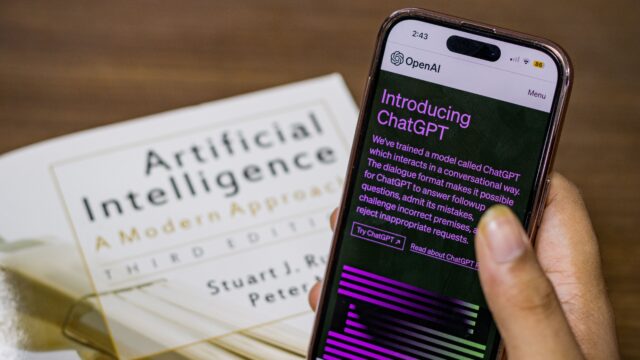
ChatGPT Business Hub is OpenAI’s free beta tool for claiming the business profile ChatGPT shows about your company. You sign in, find or add your business, prove you own it by phone, email, a DNS record or Shopify, then pass a Persona ID check before you can publish changes or see your numbers. Claiming is free and takes about half an hour, but it does not make ChatGPT recommend you more.
Claiming is two gates, not one
Every guide that calls this a five-minute job is describing only the first gate. OpenAI’s own help page describes two separate checks, and nothing useful happens until you pass both. The first check proves you are connected to the business. The second proves who you are.
Gate one: the claim. You sign in to ChatGPT, open Business Hub, search for your business, and pick one of the verification methods offered: a code to your business phone or email, a TXT record in your website’s DNS settings, or a Shopify connection. OpenAI reviews the claim and emails its decision. This gate gets you into Business Hub. It does not put a verified badge on your profile, and it does not let you publish anything yet.
Gate two: identity verification with Persona. Before you can publish changes, connect a product feed, view insights, or create a Business Agent, you must complete an identity check with Persona. You may need a government-issued ID, business registration information, and proof that you are authorised to represent the business. The blue check appears only after Persona approval. One detail worth knowing: if you use Persona to create a brand-new profile, OpenAI’s approval automatically publishes it, so only continue when you are ready for it to be live.
Most of the frustration people report with Business Hub comes from treating the claim approval email as the finish line. It is the halfway mark.
Before you start: the five-minute checklist
Gather these before you open ChatGPT Business Hub, because the flow will ask for them and a half-finished claim is easy to abandon.
- A ChatGPT account you will keep. Management is tied to the account that claims the business, so use a company-controlled account, not a freelancer’s personal login. The admin who claims it can later add teammates and grant an agency access, each on their own ChatGPT account.
- Your exact legal business name, address, and registration or tax number, exactly as they appear on your official records. Persona checks fail when the name or address does not match the documents.
- Access to at least one verification method: the business phone, the business email inbox, your domain’s DNS settings, or your Shopify admin login. The DNS route is the most reliable, because you control it yourself.
- A government-issued photo ID for the Persona step, plus proof you may act for the business if you are not the owner.
- Your website, logo, and a short factual description ready to paste.
One more check first: does ChatGPT already have a listing for you? Open Business Hub and search your exact business name, the same one you use on Google. If a listing appears and someone else has already claimed it, do not create a second profile. OpenAI’s policy forbids duplicate profiles. Open the profile, select the more-options menu, and choose Dispute ownership, then follow the prompts to verify with Persona that you are authorised to represent the business.
How to claim your business in ChatGPT Business Hub
The steps below follow OpenAI’s help article Setting up your business on ChatGPT, read on 16 November 2026. The product is in beta, so labels can still change.
- Open Business Hub. Sign in to ChatGPT on the web, select Business Hub in the sidebar, or go to chatgpt.com/business-hub, then search for your business by name.
- Pick the right listing. Select the matching listing and confirm the ChatGPT account that will manage it. If you received a claim invitation by email, open its personal link and sign in with the address that received it. If the listing shows Contact support, it is locked; select it to request access.
- Add your business if it is missing. If you run an eligible online business and nothing matches, Business Hub may offer an option to add it. Local stores and restaurants can currently claim only an existing US listing.
- Prove the connection. Choose one of the verification methods ChatGPT Business Hub shows you. Phone and email work by entering a code. For the domain method, copy the TXT record exactly as shown into your DNS settings, then select Verify domain. DNS changes can take time to appear, so if it fails, wait and try again. One hands-on walkthrough found its TXT record expired after about 30 minutes, so finish this step in one sitting. For Shopify, select Connect Shopify, review the permissions, and sign in to the store.
- Wait for the claim decision. OpenAI reviews your claim and emails its decision. Review time varies and is unpublished.
- Complete Persona verification. Select Verify with Persona, then Continue to Persona, and submit your ID and business details. If you claimed with another method first, do this later from the Business tab.
- Wait for the Persona decision. OpenAI emails the result. If a check fails or expires, follow the email; if Try again is available, submit corrected information matching your official records.
- Fill in the profile. Once both approvals land, update your website, description, category, logo, delivery policy, and return policy. OpenAI reviews changes, which take time to appear, and ChatGPT may keep using other sources too.
That is the full flow. Nothing in it costs money: OpenAI has not published a price for claiming, and its help page says you do not need an Ads account or a ChatGPT Enterprise agreement to claim an eligible business. Digiday reported after a briefing with OpenAI that claiming a profile and publishing an eligible Business Agent are free at launch, with charging left open for the future. Treat that as a secondary report, not an OpenAI promise. The 30-minute TXT expiry above comes from a secondary hands-on walkthrough, Knownwise’s claim guide, not from OpenAI’s own pages.
What claiming actually costs you
Free is not the same as costless. The claim takes your time twice: once to file it, once to finish the profile and check the insights. The calculator below works out what that time costs from your own numbers.
Claim cost calculator
How the maths works. The one-off cost is your minutes divided by 60, multiplied by your hourly rate: 30 minutes at $50 an hour is $25. The monthly value is the clicks ChatGPT sends you multiplied by what one click is worth: 20 clicks at $1.50 each is $30 a month. Divide the cost by the monthly value and you get the payback time. With zero expected clicks there is no payback on traffic, and the honest reason to claim is different: correct details and a record of how ChatGPT talks about you. Our calculation, using the defaults above as an example only.
How to read your Business Hub insights
After both verifications are approved, open your business in Business Hub and select Insights: aggregate mentions, website clicks, and discovery topics over the past 28 days.
First, a mention is not what you think it is. For an online business, OpenAI counts a mention only when ChatGPT references your business's website. Naming your brand without linking to your site does not count. For a local business, a mention counts when ChatGPT shows a result for that location, even if nobody opens the listing. So an online shop can be named in answers all week and still show zero mentions. That is the definition, not a bug, and it means your website has to be worth citing: clear prices, clear stock, and pages that answer the exact question.
Second, a blank number does not mean zero. OpenAI says insights only appear once there are enough conversations to meet a privacy threshold, and a blank metric can mean activity has not reached the threshold, data is still being collected, or reporting is unavailable. Do not conclude that nobody is asking about you because the dashboard is empty. Give it a full 28 days before judging.
Third, discovery topics are themes, not questions. They show common themes across ChatGPT answers that mentioned or cited your business. They do not reveal individual prompts, and they do not directly measure customer intent. OpenAI does not share users' conversations or Business Agent chats with businesses, ever. Use the topics to spot which of your products or policies ChatGPT keeps explaining, then fix the source page it is reading. Check Insights once a month, not once a day, and fix one page ChatGPT is citing badly.
Should you add a Business Agent?
Claiming and publishing an agent are separate steps, and most small businesses should not do the second one yet. A Business Agent is a branded chat inside ChatGPT that answers customer questions using the information you provide. It is available only to eligible ecommerce and online service businesses in the United States with a website, and only if your business also meets the industry rules in OpenAI's Business Agents Policy. OpenAI says it plans to expand to more markets and categories over time, but it has not published dates.
| Question | Claim the profile | Add a Business Agent |
|---|---|---|
| Who can do it? | Any eligible business where ChatGPT is available | Eligible US ecommerce and online service businesses with a website |
| What does it cost? | No price published; free at launch per a secondary report | Same: no price published |
| What do you get? | Correct details, product feed, mentions and clicks | A labelled chat answering questions from your information |
| What can it not do? | It cannot raise your ranking or control ChatGPT's answers | It cannot take orders, make bookings, or check an order |
| Who should skip it for now? | Businesses with no website, or local shops outside the US | Anyone outside the US, and anyone whose policies are not written down yet |
If you are eligible and your return policy, delivery policy, and prices are already written clearly on your site, an agent is a low-risk test: build it, preview it with a question customers actually ask, such as "Can I return an item I bought on sale?", and fix the answer by updating your information. Publish only when the preview answers are right, because customers can only chat with a published agent, and the agent's conversation is clearly labelled and kept separate from the customer's original ChatGPT conversation. Businesses can also sponsor their Business Agent as a ChatGPT Ads destination, but sponsored placements are labelled, and advertising does not influence ChatGPT's independent recommendations.
Who should not claim yet
Claiming is free and the steps are simple. Three kinds of business should still wait.
No website, no claim. Claiming is initially available to eligible businesses with a website. If your business lives only on Instagram or a marketplace, Business Hub has nothing to verify you against. Build the website first. Our guide to evaluating AI tools for your business covers the same order of operations.
A local shop or restaurant outside the US. Right now these can claim only an existing US listing. If your listing does not exist, there is nothing to claim, and OpenAI has not said when that changes. Check Business Hub anyway, because the search itself is the test.
A business whose facts are wrong somewhere public. ChatGPT already answers questions about you from what it reads on the web, including your own site. Claiming lets you correct the record, but OpenAI reviews your changes, they take time to appear, and ChatGPT may keep using other sources. If your prices, hours, or delivery terms are out of date on your own website, fix those first. A claimed profile pointing at a stale website is worse than no profile.
What we can't confirm
Businesses in ChatGPT launched on 10 November 2026, six days before this article, and several facts are still unpublished. OpenAI has not said how long a claim or Persona review takes, only that review time varies. It has not published the full list of eligible categories, dates for Business Agents outside the US, or a price for claiming or agents. One secondary walkthrough reports a $500 advertising credit offer and a ChatGPT Business plan upsell inside the setup flow, but OpenAI's own pages do not mention either, so treat both as unconfirmed. The 1.2 billion weekly ChatGPT users figure is OpenAI's own number, not an independent count. And every step above comes from OpenAI's documentation, not from a live claim by us: we have not completed a claim ourselves.
That uncertainty is normal for a beta. The cost is half an hour, the details you supply are yours to correct, and the insights tell you what ChatGPT already says about you whether you claim or not. The mistake is expecting the claim to do the marketing. It does the record-keeping. The marketing still happens on your website.
Google launched its own Gemini business hub in October 2026, and the two are not the same job: Gemini's hub organises your internal tools, while ChatGPT Business Hub manages what buyers see. Our Gemini business hub setup guide covers the Google side. If you already run ads, the ChatGPT Ads guide explains how sponsored placements work alongside the free claim. If you are weighing whether an agent is worth staffing, our AI customer support pricing breakdown shows what per-resolution and per-conversation pricing actually costs at real volumes. And if you use an AI agent to answer customers anywhere, read our OpenAI Dots guide and our AI usage policy template. The same order of operations applies as in our AI search visibility guide: the listing is only as good as the pages behind it.
Frequently asked questions
Is claiming my business on ChatGPT free?
OpenAI has not published a price for claiming a business or publishing a Business Agent, and its help page says you do not need an Ads account or a ChatGPT Enterprise agreement to claim an eligible business. Digiday reported after a briefing with OpenAI that both are free at launch, with charging left open for the future. That is a secondary report, not an OpenAI promise.
Does claiming my business make ChatGPT recommend it more?
No. OpenAI says so directly in its help centre: claiming lets you manage the information you provide, but it does not guarantee increased visibility or give you direct control over ChatGPT's independent recommendations. Advertising does not influence ChatGPT's independent answers either. What claiming does is let you correct wrong details and see how often ChatGPT cites your website.
How long does it take to claim a business on ChatGPT?
The form itself takes about 10 to 30 minutes, plus the time to add a DNS record or find your ID. The reviews take longer and OpenAI has not published a time: it says review time varies and it will email its decision or a request for more information. Do not plan a launch around a claim approval date you cannot control.
What is the difference between claiming and the verified badge?
Claiming proves you are connected to the business, using a phone, email, domain record, or Shopify. The verified badge, a blue check, appears only after your Persona identity verification is approved. Claiming alone does not give you the badge, and you cannot publish profile changes, view insights, connect a product feed, or create an agent until Persona is approved.
Can a local shop or restaurant outside the US claim its business?
Not yet. OpenAI's help page says local stores and restaurants can currently claim only an existing US listing. Eligible online businesses can claim or add a listing wherever ChatGPT is available and verification is supported. If your shop is outside the US, search Business Hub to confirm, but expect to wait for OpenAI to expand coverage.
Shurah is the founder of AI Tools Daily, tracking pricing, licensing and policy changes across AI tools so readers can make decisions without wading through marketing claims themselves.