Stop writing SOPs from memory. Record the process once on screen with a capture tool like Scribe or Tango, feed the transcript to an AI writer, then fix the decision points the AI always misses. That capture-first workflow is what makes an AI SOP usable by someone who has never done the task. The other 90% of the work is choosing which processes to document first.
What an AI SOP Actually Is
An SOP — a standard operating procedure — is a delegation contract: how this task is done in this business, step by step, so the next person does not guess. An AI SOP is the same contract, but the first draft is generated by software instead of typed by you — either a capture tool that records your clicks as steps with screenshots, or a chatbot that turns a transcript into structured prose.
Neither half works alone. A chatbot writing from memory invents click paths that do not exist; a capture tool gives you screenshots but no judgment — it records what you did, not what you should have done. The working combination: the capture is the source of truth, the AI is the typist, and you are the editor who adds what only a human knows.
Why Writing SOPs From Memory Fails
Ask a chatbot to “write an SOP for client onboarding” with no input from your process and you will get something readable, generic, and dangerous. Readable, because models are good at the shape of a procedure. Generic, because it does not know your tools, your client types, or the three exceptions that trip up every new hire. Dangerous, because the confident tone hides the gaps — nobody notices the missing step until a client email goes unanswered for a week.
This is the failure mode AI adds to an old problem. Writing SOPs from memory has always produced fantasy documents: people skip the edge cases and the “obvious” steps that are only obvious to them. AI turns a bad-from-memory draft into a polished one, which is harder to question, not better.
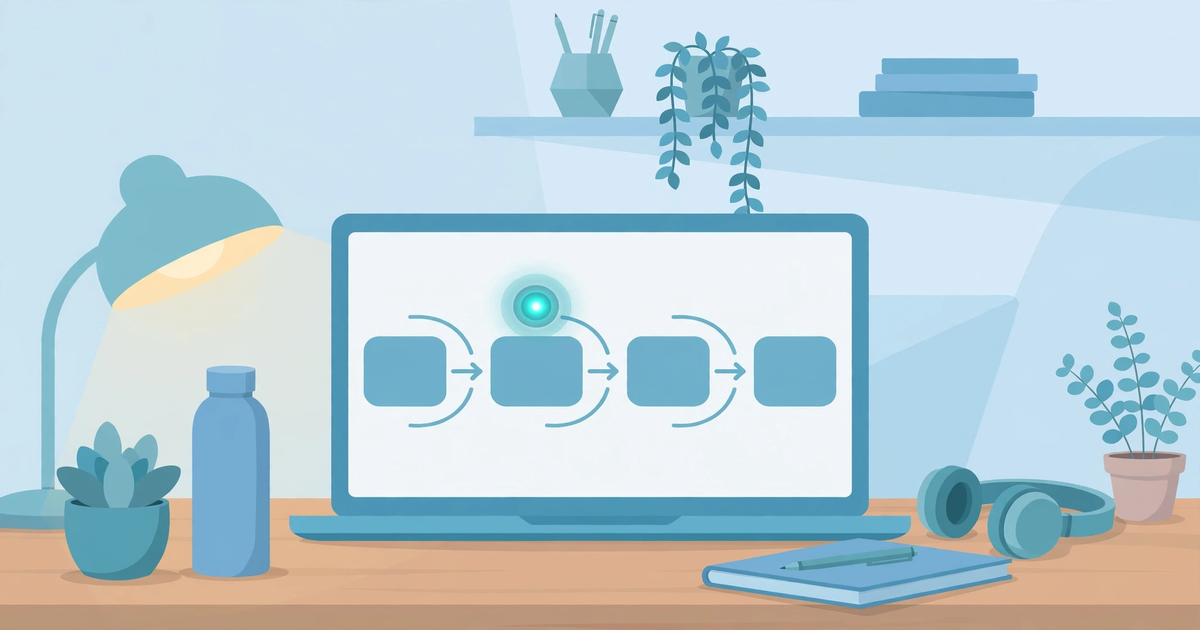
The fix is mechanical. Do not describe the process — do it, once, slowly, while a capture tool watches. The recording becomes the skeleton of the SOP, the AI fills in the flesh from real evidence, and you add the judgment — the decision points and exceptions — because those live in your head and in no transcript.
The Capture-First Method, in Five Moves
This is the workflow that produces an SOP a stranger can actually follow. Budget roughly 45–60 minutes for your first one; the second takes half that.
Move 1: Pick a process you will repeat this month. Not the most complex one — the most frequent one. Invoicing, onboarding a new client, reconciling the week’s expenses. Frequency is what makes an SOP pay for itself, and there is a calculator below that proves it. Document first, automate second — automating a process you have not written down just speeds up the chaos.
Move 2: Record yourself doing it once, talking as you go. Open a capture tool — Scribe or Tango, both with free browser-capture tiers — hit record, and do the task exactly as normal. Narrate your decisions out loud: “I’m skipping this field because it only applies to retainer clients.” That narration is the cheapest way to capture the reasoning screenshots cannot show.
Move 3: Feed the capture to your AI writer. Export the guide (PDF or Markdown on paid tiers; copy-paste works on free) and paste it into ChatGPT or Claude with a constraint-heavy prompt: “Turn this into a numbered procedure. Keep every click path exactly as recorded. Do not invent steps, buttons, or menu names.” The constraints are the whole trick — without them the model “helpfully” normalizes your process into something it only resembles.
Move 4: Fix the three things AI always gets wrong. Decision points — AI flattens “if/then” logic into one path; restore every branch. Exceptions — what happens when the invoice bounces, the client ghosts, the tool errors. Ownership and date — who owns this SOP and when it was last verified. An undated SOP rots silently; a dated one can be scheduled for review.
Move 5: Hand it to someone else and watch them use it. The test that matters, and the step almost everyone skips. Give the SOP to someone who has never done the task and watch where they get stuck — every stuck moment is a missing step. Fix it in the document, not in a Slack message.
If writing long procedures with AI is new to you, the same prompt-constraint habits that make AI content writing faster without going robotic apply here: constrain the model to your source material, never let it freelance.
Which SOP to Write First: The 3-Factor Pick
Most guides say “document everything.” That is how SOP projects die — in a folder of half-finished docs nobody maintains. Score your repeat tasks on three factors and start with the winner:
- Frequency. How many times per month does this happen? A task you repeat twenty times a month beats a yearly one by an order of magnitude in payback.
- Error cost. What happens when it is done wrong? A botched client onboarding costs real money; a sloppy file name costs irritation. Document the expensive mistakes first.
- Delegatability. Could someone else do this with instructions? Rules-based, repeatable tasks — invoicing, lead follow-up, report formatting — are ideal. Judgment-heavy tasks are poor SOP candidates, and admitting that is part of the method.
Monthly invoicing scores high on all three, which is why pairing it with our guide to AI bookkeeping automation is a common first win. Lead follow-up is another classic: the five-minute response habit in our AI lead generation setup only survives if someone documented what happens in those five minutes.
Will This SOP Pay for Itself?
SOP payback calculator — enter your own numbers. Defaults are examples only, not facts.
The formula is simple enough to check by hand: annual hours on the task = (repetitions per month × minutes each × 12) ÷ 60, multiplied by your hourly value. Subtract the one-time creation cost plus a year of quarterly upkeep, then multiply by your assumed saving rate. Our calculation assumes the documented process saves 70% of the time per repetition — edit that figure; the real number depends on how much of the task is re-thinking versus re-doing. The part people miss: a task repeated twelve times a month at thirty minutes a rep costs a $50-an-hour freelancer $3,600 a year in repetition alone, which is why boring processes are the highest-ROI SOPs.
What AI SOP Software Actually Costs
For a solo operator or small team, the shortlist is capture tools, not enterprise suites. Both pricing pages below were read on 16 October 2026 — price the plan you will actually use, the way our guide to evaluating AI tools for your business recommends.
| Tool | Free tier | Paid tier | Solo-user reality check |
|---|---|---|---|
| Scribe | Basic: web-app capture, shareable links | Pro Personal: $35/seat/month billed monthly, $25/seat/month billed yearly (from 1 seat). Team tier starts at 5 seats. | Free is enough to test the workflow; one paid seat is $300/year and adds desktop capture plus PDF/Markdown export. |
| Tango | Free: 5 shared workflows, up to 10 users, browser capture only | Pro: $22/user/month for 1–2 users ($26 billed monthly); drops to $15/user/month on yearly billing for 3+ teams. | Cheaper for a solo user than Scribe ($264 vs $300/year) and includes voice transcription on Pro. Upgrading one workspace upgrades every member in it. |
Two honesty notes. First, Scribe’s own pricing page showed us two different team-tier figures in different sections on the same day ($23 and $13 per seat per month) — confirm the number you actually see before paying. Second, an independent Scribe vs Tango vs Guidde comparison (secondary source) makes a point worth repeating: per-user pricing punishes teams where only two people create guides and ten read them, so count your creators, not your viewers, before choosing.
You do not have to pay anything to start. Both free tiers capture real guides, and the write-up half runs on whatever chatbot plan you already have. Paid tiers buy desktop capture, exports, and version history — worth it once you have five-plus SOPs to protect, premature before that.
The Review Gate: How to QA an AI-Written SOP
An SOP nobody maintains is a liability with a title page. Add a review line to every SOP — owner, last verified date, next review date — and run this check before the AI SOP counts as done:
- The stranger test. Someone who has never done the task follows the SOP while you watch silently. Every question they ask is a defect in the document.
- The decision-point audit. Read only the “if/then” branches. AI flattens these; you restore them. If a branch has no branch, the SOP lies.
- The stale-data sweep. Screenshots, button names, prices, and tool versions age fast. Anything over a quarter old gets re-verified.
- The secrets check. Captures record everything on screen: API keys, client names, autofill passwords. Redact before sharing — both tools gate screenshot redaction behind paid tiers, so do this manually on the free plan.
Document the rules about AI use itself, too: a written AI usage policy for your small business keeps everyone’s tool choices inside your data boundaries — an SOP for the SOPs.
Who Should Not Write SOPs This Way
The capture-first method is wrong for three kinds of work. Judgment-heavy work — pricing a project, handling an angry client, choosing a strategy — degrades when you proceduralize it; the SOP becomes a script that staff follow off a cliff. Processes that change weekly — early-stage ops, tools still in beta — will rot faster than you can re-capture them; wait for stability first. And regulated procedures — medical, legal, financial-compliance workflows — need a qualified human to sign off on every word; an AI-drafted first pass lengthens that review, it does not shorten it.
For everyone else — freelancers repeating the same delivery steps, agencies onboarding clients the same way each month, teams where one person holds all the process knowledge — this is the cheapest leverage AI offers: the boring discipline of recording what you already do. Fold it into the same thinking behind using AI to write your business plan: document the machine you are actually building, not the one you wish you had.
Start with one process this week. Record it once, slowly. Let the AI type it up. Fix the decision points. Hand it to someone else and watch. That loop — capture, draft, fix, test — is the entire method.
Can AI write an SOP from scratch with no recording or input?
It can produce something that looks like an SOP, but it will describe a generic version of the process, not yours. Without a recording, transcript, or notes from your actual workflow, the model invents click paths and button names. Feed it real evidence and tell it explicitly not to invent steps.
What is the best AI tool for writing SOPs?
There is no single winner; it depends on your bottleneck. If capturing the process is the bottleneck, use a capture tool: Scribe (Pro Personal $25/seat/month billed yearly) or Tango (Pro $22/user/month for 1–2 users), both verified on their pricing pages in October 2026. If writing it up is the bottleneck, feed the capture into ChatGPT or Claude with strict constraints. The combination beats any single tool.
How long should an SOP be?
As short as the stranger test allows. A routine task usually needs one page: purpose, prerequisites, numbered steps, decision points, and the review line. Past three pages, split it — one SOP per process beats a manual nobody finishes.
How often should I update my SOPs?
Put a review date on every SOP — quarterly is a sane default for software-dependent processes, yearly for stable ones. The real trigger is change: when a tool updates its interface, a step breaks, or someone asks a question the SOP should have answered, update it that week. The stranger test doubles as a freshness check.
Do freelancers and solo businesses need SOPs?
Yes — the “team” is your future self and the contractor you hire in six months. SOPs stop you re-solving the same problems: onboarding checklists, invoice templates, content workflows. Start with the three processes you repeat most.
Can I create SOPs with AI for free?
Yes. Both Scribe and Tango offer free tiers that capture real step-by-step guides in the browser, and you can draft the write-up on any free chatbot plan. Free tiers limit exports and desktop capture — fine for your first three to five SOPs.
Shurah is the founder of AI Tools Daily, tracking pricing, licensing and policy changes across AI tools so readers can make decisions without wading through marketing claims themselves.