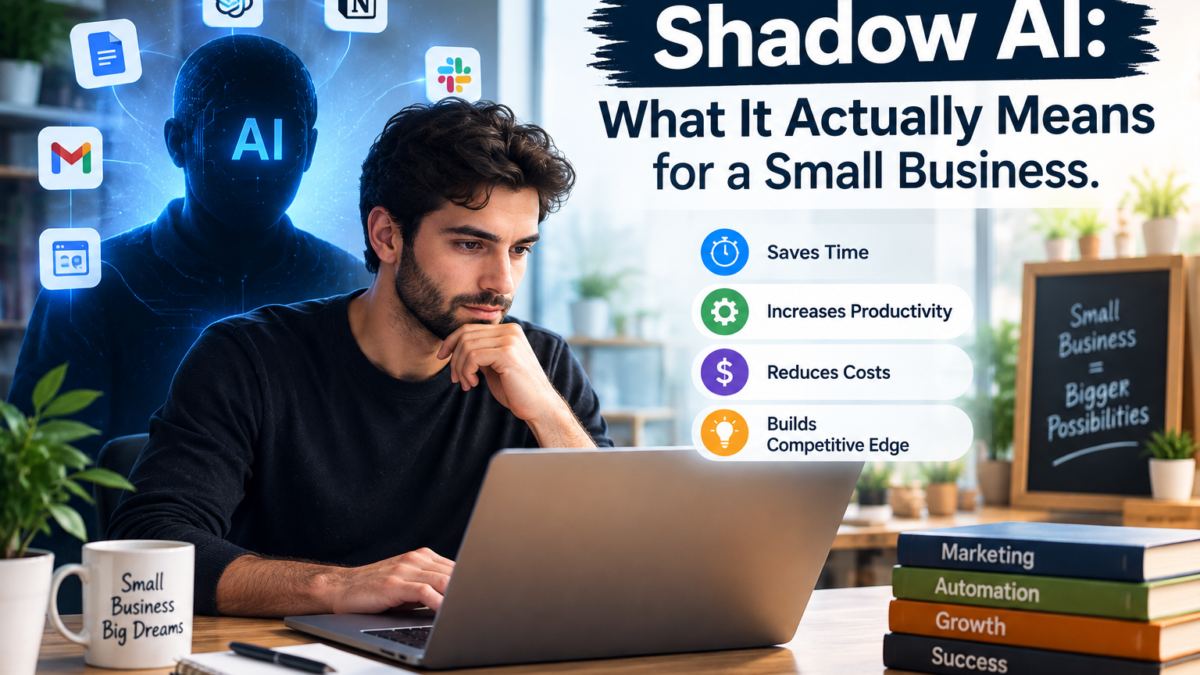
Shadow AI means employees or contractors using AI tools nobody approved, and estimates of how common it is range from 45% to 90% of a workforce depending on which 2026 study you read. For a solo freelancer or a three-person team, the percentage is close to meaningless anyway: with no IT department and no monitoring software, there’s no “sanctioned” list to fall outside of. The real question isn’t how many people are doing it. It’s whether the specific tool-and-data combination you’re already using — a free ChatGPT account, a client’s draft contract — creates an exposure you haven’t checked.
Every shadow AI headline this year comes from a large-enterprise survey or a corporate DLP dataset. Verizon counted detections on corporate devices. Okta surveyed executives against employees. None of them were measuring a person running a content agency out of a laptop with two clients and no security team. That gap matters more than it sounds — it’s the same gap covered from the “what agents can and can’t do safely” side in our piece on AI agents for business, and it’s why most of what’s written about shadow AI is useless to exactly the audience it should help most.
The numbers disagree because they’re measuring different things
Before deciding whether shadow AI is “your” problem, it’s worth seeing how unstable the headline stat actually is. Four separate 2026 studies, four different populations, four different numbers — and none of them is wrong, because none of them measured the same thing.
| Source | Method | Headline number |
|---|---|---|
| Verizon 2026 DBIR | DLP telemetry, corporate devices, 858,440 events | 45% regular AI users on corporate devices (up from 15% a year earlier); 67% of that activity through personal, non-corporate accounts |
| Okta / Apprize360, “AI Agents at Work 2026” | Survey of 292 executives + 492 knowledge workers, 7 countries | 90% of executives confident in their AI visibility; only 52% of workers admit using unapproved tools (24% regularly), per The Register’s coverage |
| TrustedTech workplace survey | Self-report, split by seniority | 65% of decision-makers use shadow AI vs 31% of employees below them — leadership is the heavier user, not junior staff |
| Pentera CISO benchmark | Survey of 300 US CISOs | Zero CISOs reported full visibility into AI use in their own organization; 66% admitted limited visibility |
These conflicting numbers are exactly the kind of single-source-versus-consensus problem worth flagging rather than smoothing over — the same discipline behind our guide to fact-checking AI-generated claims applies to reading AI-adoption research too.
Don’t treat any single figure in that table as “the” adoption rate — the honest reading is that detection-based numbers (Verizon) and self-report numbers (Okta, TrustedTech) will never match, because people don’t accurately report behavior a monitoring tool would flag. The country breakdown inside Okta’s own survey makes the same point at a smaller scale: unsanctioned AI use ran 67% in the US, 60% in Australia, 55% in the UK, roughly 50% in Canada, and around 30% in France and Germany — a single global percentage was never going to describe all of that.
What this actually means if you have no security team
Every one of those studies assumes an organization capable of detecting the behavior it’s measuring — a DLP system, a CISO, an IT department that can be surveyed separately from the workforce. A one-person business or a three-person content team has none of that. Which means the framing itself doesn’t apply: there’s no “shadow” AI use to uncover, because there was never a sanctioned baseline to fall outside of. Everything is unsanctioned by default until you decide otherwise, on purpose, in writing. That reframes the actionable question. It’s not “what percentage of my team is using unapproved tools” — assume the answer is all of it, since you have no way to check and no policy telling anyone not to. The real question is narrower and more useful: which specific pieces of client or business data have already gone into a free-tier consumer AI account, and what happens to that data once it’s there? If your reason for reaching for the free tier in the first place is cost, it’s worth reading our breakdown of what’s actually worth paying for before assuming the free plan is the cheaper option once this risk is priced in.
The part nobody puts in front of freelancers: training defaults by tool
This is the detail that actually changes behavior, and it’s rarely stated plainly next to the shadow AI headlines: on the major consumer AI tools, your inputs train the underlying model by default unless you turn that off — and the free tier and the paid personal tier are treated the same way. Business, Team, Enterprise, and API access are excluded from training by default; personal Free, Plus/Pro, and Max accounts are not.
| Tool (personal tier) | Trains on your input by default? | Where to check |
|---|---|---|
| ChatGPT (Free, Plus, Pro) | Yes — “Improve the model for everyone” is on by default; a per-account toggle in Settings → Data Controls turns it off going forward only | OpenAI’s own Data Controls FAQ |
| Claude (Free, Pro, Max) | Yes, since a September 2025 consumer-terms change — training is opt-out, not opt-in, and allowing it extends retention of that data to up to five years | Anthropic’s Privacy Policy and Help Center |
| Gemini (personal account) | Yes — a sample of conversations can be reviewed by humans and, per Google’s own Gemini Apps documentation, retained for up to three years even after you delete your activity | Google’s Gemini Apps Activity settings |
None of this means these tools are unsafe to use. It means the default setting on the plan you’re probably already paying for is “train on this,” not “don’t.” Turning it off protects future conversations only — anything already sent under the old setting has already been through the pipeline, and no toggle pulls it back out. If you’re a freelancer weighing which tools are actually worth a subscription in the first place, this is the same territory covered in our guide to AI tools for freelancers, which goes into contract- and platform-level data settings for gig platforms too.
The risk that has nothing to do with AI training at all
Here’s the part the training-toggle conversation misses entirely, and it matters more for anyone doing paid work for other people: most freelance and consulting contracts contain a confidentiality clause that restricts disclosing client materials to third parties. Pasting a client’s unreleased product brief, financial figures, or draft contract into a free consumer AI account is disclosure to a third party — a commercial company whose servers process that text — regardless of whether that company ever trains a model on it. Whether that specific act breaches a specific contract depends entirely on how that contract’s confidentiality clause is worded, which is why this is a “check your own agreements” problem, not a “these tools are dangerous” one. Nobody should treat a generic answer here as legal advice for a specific contract; that’s a question for whoever drafted it, or a lawyer, not an AI-tools blog.
The same logic applies in the other direction if you hire subcontractors: if a subcontractor is using their own personal ChatGPT or Gemini account on your client’s materials, you have no visibility into that at all, and no toggle you control fixes it — the account isn’t yours.
What to actually do about it — five steps, no security budget required
- Inventory once. List every AI tool you and any subcontractor currently use for client or business work — not from memory, actually open each account. This alone resolves more risk than any policy document, because most of it is genuinely forgotten “I tried this once” accounts.
- Turn off training wherever client material could land. For every tool on that list that’s ever likely to see a client name, contract term, or unreleased detail, go into its settings and turn off the “improve the model” / training toggle. It takes under a minute per tool.
- Move genuinely sensitive work to a business tier. If you regularly handle material under NDA, the cost difference between a personal Plus account and a Team or Business tier is small compared to the cost of a confidentiality dispute — and Business/Team/API tiers exclude training by default rather than requiring you to remember the toggle.
- Put one line in every contract. Name which AI tools are approved for a given engagement and require training to be off, for you and for any subcontractor. This is a two-sentence addition, not a policy document, and it also puts you ahead of the disclosure expectations detailed in our EU AI Act guide for small business for anyone whose output reaches EU users.
- Don’t try to ban AI outright. Okta’s own security lead made this point plainly after the survey: strict bans push usage further underground rather than eliminating it. A named, approved default that’s actually easy to use beats a rule nobody follows.
Who this genuinely isn’t a problem for
If you do all your own work, never touch a client’s confidential material, and only use AI tools for your own drafts, brainstorming, or public-facing content, the training-default question barely matters — worst case, a public blog post idea helps train a future model, which is a non-event. This whole article is aimed at freelancers and small teams handling other people’s confidential material, not at someone journaling with ChatGPT. If you’re building out a wider stack and want it to stay both affordable and defensible, our small business AI toolkit and our guide to cutting costs with AI are both built around the same one-tool-at-a-time approach recommended here.
What does “shadow AI” mean for a freelancer or a one-person business?
It means using an AI tool that nobody — including you, acting as your own “IT department” — has deliberately reviewed for what happens to the data you put into it. For a solo operator, that’s less about rule-breaking and more about never having set a rule in the first place.
Is using an unapproved AI tool actually illegal?
Using the tool itself generally isn’t illegal. What can create liability is what you put into it: disclosing information you’re contractually obligated to keep confidential, or handling regulated data (health, financial, certain client PII) in a tool whose terms don’t support that use. The tool is neutral; the input is where the risk lives.
Does paying for ChatGPT Plus stop it from training on my chats?
No. Plus and Pro are personal tiers and are treated the same as Free for training purposes — training is on by default and has to be turned off manually in Data Controls. Only Business, Enterprise, Team, and API access exclude training by default.
Should I just ban my team or subcontractors from using free AI tools?
Most of the evidence points the other way. A ban with no approved alternative tends to push the same behavior further out of sight rather than stopping it. Naming an approved tool and setting, and making it as easy to use as the free alternative, works better than prohibition.
What’s the single biggest shadow AI risk for a one-person business?
Pasting a client’s confidential material into a personal AI account without having checked either the client contract’s confidentiality terms or that account’s training setting. It’s one action, it takes ten seconds, and it’s the one this article’s checklist is built around preventing.
Do the 45%-to-90% enterprise shadow AI statistics even apply to a three-person team?
Not directly. Those numbers come from organizations large enough to have a monitored, sanctioned baseline to measure deviation from. A three-person team doesn’t have that baseline, so the percentage isn’t the useful part of the research — the underlying behavior (unreviewed data going into free consumer AI accounts) is what transfers, not the stat.
Shurah is the founder of AI Tools Daily, tracking pricing, licensing and policy changes across AI tools so readers can make decisions without wading through marketing claims themselves.