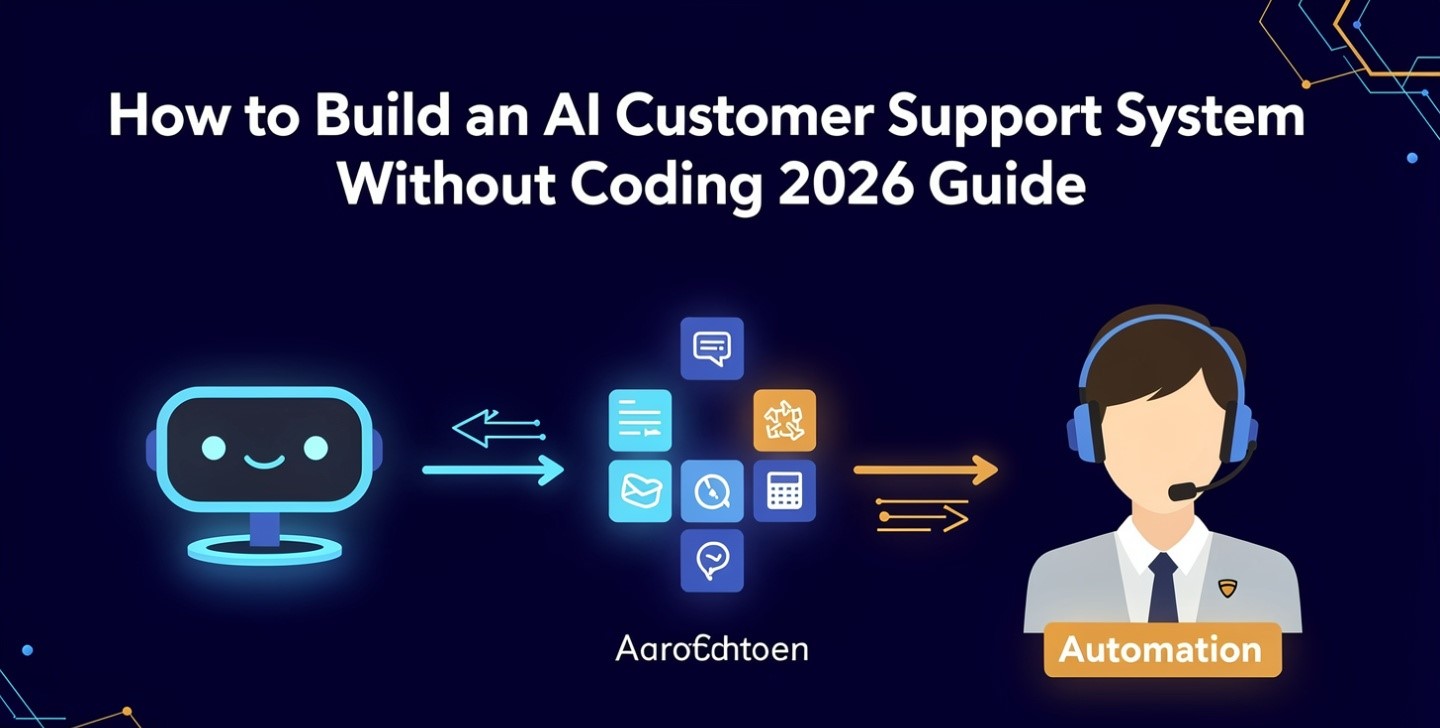
You can have a working chatbot by Friday. That part is genuinely easy now, and it is also the part that decides almost nothing. An AI customer support deployment lives or dies on four things the demo never shows you: what the bot is allowed to touch, how it hands a conversation to a human, what you promise customers about response times, and which number you agree to be judged on.
Get those wrong and you will still ship. You will get a dashboard showing 70% deflection, a support inbox that somehow hasn’t shrunk, and a slow leak of your best customers.
This is the layer on top of the build. If you haven’t chosen a platform yet, start with how to build an AI chatbot without writing code and come back — this guide assumes the bot exists.
The number everyone reports is the wrong one
Deflection and resolution are not the same measurement, and the gap between them is where projects die.
Deflection counts conversations a human never touched. That includes the customer who found their answer, and equally the customer who typed three questions, got nothing useful, closed the tab and posted about you instead. Both are “deflected.”
Resolution counts problems actually solved.
The same deployment routinely scores 20 to 40 points higher on deflection than on resolution. Vendors quote the first number. Independent surveys measuring the second land far lower — vendor claims cluster in the 30–60% band while independent measurement tends to sit in the 10–25% range for the first year. That factor-of-three gap is not dishonesty exactly; it’s two industries using one word.
It also varies enormously by what you point it at:
| Query type | Realistic AI resolution | Why |
|---|---|---|
| Password reset, account access | 70%+ | One correct answer, no judgement |
| Order status, shipping, standard product Q&A | 50–70% | Needs a system lookup, then it’s deterministic |
| Billing changes, plan switches | 50–70% if documented | Fails on edge cases you never wrote down |
| Technical troubleshooting | 15–30% | Branching, needs diagnosis |
| Complaints and disputes | Under 35% | The customer wants acknowledgement, not information |
Read that table as a scoping instrument, not a benchmark. Your headline rate is mostly a function of which rows you let the AI answer. A team boasting 75% is usually a team that scoped tightly — which is the right move, but it isn’t a better model.
Step 1 — Decide what the AI is allowed to touch
Sort every recurring question into three buckets before you configure anything.
Bucket A — answerable from documentation. Hours, policies, how a feature works, what a plan includes. The AI answers directly. This is your volume.
Bucket B — needs a lookup, then a fixed answer. “Where is my order,” “when does my subscription renew.” The AI needs read access to one system. Higher value, more integration work, still deterministic.
Bucket C — involves judgement, money, or feelings. Refunds outside policy, cancellations, complaints, anything legal or medical, anything where the customer is already angry. The AI’s only job here is to recognise the category fast and route it, with the conversation intact.
Most failed rollouts happen because Bucket C leaked into Bucket A. Nobody decided to let the bot handle refund disputes; nobody explicitly stopped it either, and “answer helpfully” is a wide instruction.
Write the C-list as an explicit blocklist inside your platform. Not guidance in a prompt — a rule that fires. This is the same discipline that separates automations that survive from ones that quietly corrupt data, covered in more depth in how to automate work with AI tools.
Step 2 — Build the routing layer before you write answers
A support system is a triage layer with an answer engine attached, not the reverse. Three routes, decided in this order:
- Identity first. Is this person logged in, and can you match them to an account? An unauthenticated visitor gets Bucket A only. Never let an unauthenticated session reach anything account-specific — that’s a data leak wearing a chat widget.
- Category second. Intent classification against your own list, not the vendor’s generic taxonomy. Ten to fifteen categories drawn from your actual ticket history is plenty.
- Capability third. Given identity and category, is this something the AI is permitted to complete? If not, route immediately — do not let it “have a go first.”
That third rule is the one teams skip, because letting the bot attempt everything makes the deflection number look better. It also produces the single worst customer experience in support: four minutes of confident wrongness followed by a handoff to someone who asks you to start over.
Step 3 — Escalation is the product
Klarna is the canonical case here, and it’s worth being precise about what actually happened. In February 2024 the company announced its AI assistant had handled 2.3 million conversations in a month, work it equated to roughly 700 full-time agents, cutting average resolution time from about 11 minutes to under 2. Fourteen months later the CEO told Bloomberg the company had weighted cost too heavily and ended up with worse service, and Klarna began rehiring humans for complex and premium cases (Forbes coverage, May 2025).
The lesson is not “AI doesn’t work in support.” Klarna’s volume numbers were real. The failure was that throughput and cost were measured rigorously and outcome quality wasn’t — and there was no reliable mechanism for the system to say I am not confident, route this now, and carry the context with it.
Build three escalation triggers:
| Trigger | Fires when | Non-negotiable rule |
|---|---|---|
| Explicit | Customer asks for a human, in any wording | Route on the first ask. No retention loop, no “let me try once more” |
| Confidence | The retrieval step returns nothing solid, or the category is on the blocklist | Route before answering, not after a bad answer |
| Behavioural | Same question asked twice, sentiment turns, or the session passes a turn limit | Route silently — don’t announce that it detected frustration |
Then the rule that matters more than all three: the customer never repeats themselves. The full transcript, the account context, and the AI’s best guess at the problem land with the human before they type. If your platform can’t do that, the escalation path is broken regardless of how good the answers are.
One more: publish the route to a human. A visible, permanent way out is not a failure of your automation. It’s the thing that stops a frustrated customer from becoming a public one.
Step 4 — Tell people it’s AI, because it’s now law
This stopped being a best practice in August 2026.
Article 50 of the EU AI Act became applicable on 2 August 2026. Systems that interact directly with people must make clear to those people that they’re dealing with an AI, unless it’s already obvious to a reasonably observant person. The European Commission published implementing guidelines on 20 July 2026 (official FAQ). It applies based on where your users are, not where your company is — a US business with EU customers is in scope. Penalties reach €15 million or 3% of worldwide annual turnover.
The Digital Omnibus regulation that pushed several high-risk AI obligations out to December 2027 did not move this one. A great deal of advice published earlier in 2026 gets that wrong.
In the US it’s a patchwork rather than one rule: several states have enacted chatbot disclosure requirements with different scopes, and the FTC’s general authority over deceptive practices applies nationwide regardless of state law.
The fix is genuinely small. An opening line that names the system plainly — “You’re chatting with [Company]’s AI assistant” — plus a persistent indicator in the window and a visible route to a human. Two cautions: “virtual assistant” is vaguer than it looks and may not satisfy the requirement, and giving the bot a human first name while calling it a virtual assistant creates the ambiguity the rule exists to remove.
Step 5 — Write an SLA that covers the AI tier
Most support SLAs were written for human queues and quietly stop making sense when a bot answers first. Decide explicitly:
- Does an AI response start the response-time clock? If a customer gets an instant unhelpful answer at 2am and a human reply at 10am, your dashboard says 4 seconds and your customer experienced 8 hours. Pick one definition and be consistent.
- What’s the escalation SLA? A handoff during business hours should be minutes. Outside them, the bot must say when a human will reply — not “someone will get back to you.”
- What’s the ceiling on AI attempts? Two failed turns on the same question is a sensible cap. After that, route.
Step 6 — Measure four numbers, not one
One number cannot describe this system. Track these together, from the day you launch, with a pre-launch baseline for each:
| Metric | Definition | What it catches |
|---|---|---|
| True resolution rate | Issues confirmed solved, AI-only, no re-contact within 7 days | The honest version of deflection |
| Re-contact rate | Same customer, same issue, within 7 days | False deflection — forced closures |
| Escalation success rate | Handoffs where the human resolved it without the customer re-explaining | Whether your routing layer works |
| CSAT, split | AI-handled vs human-handled, reported separately | The averaging trick that hides collapse in complex cases |
Two notes on reading them. Aggregate CSAT can stay flat while satisfaction among a small, high-value cohort falls off a cliff — always segment. And add a fifth number nobody instruments: the abandonment rate, sessions that ended with no resolution and no escalation. Those customers are counted as deflected in every standard dashboard. They are your churn.
Verify the AI’s answers against your actual policies before launch, not after. The failure mode is a confident, fluent, wrong answer drawn from a stale help article — the same problem covered in how to fact-check AI-generated content.
What AI customer support actually costs in 2026
Build the business case on service quality and coverage hours, not headcount. Two pieces of research explain why.
In January 2026, Gartner predicted that by 2030 the cost per resolution for generative AI in customer service will exceed $3 — higher than many offshore B2C human agents. The drivers named are rising data-centre costs, AI vendors shifting from subsidised growth toward profitability, and increasingly complex use cases burning more tokens (Gartner, January 2026). Today’s pricing is a floor, not a ceiling.
The following month Gartner predicted that by 2027, half of companies that attributed headcount reductions to AI will rehire for similar functions under different job titles — and that a survey of 321 service leaders in October 2025 found only 20% had actually cut agent staffing because of AI (Gartner, February 2026).
Put those beside the widely-quoted forecast that agentic AI will autonomously resolve 80% of common service issues by 2029 (Gartner, March 2025) and you get the honest 2026 picture: the capability trend is real, the cost trend is running against it, and the same research house is publishing both. If you’re modelling savings, read cutting business costs with AI with those numbers in mind — and for what agents can and can’t reliably do end-to-end, AI agents for business covers the reliability maths.
A 90-day rollout that doesn’t blow up
Days 1–14 — Baseline. Pull 90 days of tickets. Sort into the three buckets. Record current volume, first-response time, resolution time and CSAT. Without this you cannot prove anything later.
Days 15–30 — Suggest-only mode. The AI drafts, a human sends. Nothing reaches a customer unreviewed. Log every edit — the edit log is your best knowledge-base to-do list, and it is free.
Days 31–60 — Bucket A live, off-hours first. Let it answer documentation questions outside business hours only, with escalation queued for morning. Small blast radius, real data.
Days 61–90 — Bucket B, business hours, humans watching. Turn on account lookups. Review escalated transcripts weekly, not monthly.
Ongoing. One named owner. A monthly review of the four metrics. A quarterly re-read of the blocklist, because your product changed and your bot didn’t notice.
The system needs maintenance forever — every product release makes some percentage of your knowledge base wrong, and stale documentation is the hard cap on resolution rate that no model upgrade fixes.
If you’re still choosing between platforms, Tidio vs Lindy vs custom GPT covers the 2026 pricing meters, and keeping the human touch in AI customer service covers the tone side. For a wider view of where support sits in a small business stack, see the best AI tools for small business owners.
Frequently asked questions
What is a realistic AI customer support resolution rate in the first year?
For most small teams, 10–25% of total ticket volume genuinely resolved end-to-end, rising toward 40–60% after six to twelve months of tuning and knowledge-base work. Higher published figures usually measure deflection rather than resolution, or come from deployments scoped to a narrow set of structured queries.
Do I legally have to tell customers they’re talking to AI?
If any of your customers are in the EU, yes — Article 50 of the EU AI Act has applied since 2 August 2026, regardless of where your business is based. In the US, several states have chatbot disclosure laws with varying scope and the FTC’s deceptive-practices authority applies nationally. Disclosure is cheap and reduces risk in every jurisdiction, so just do it. This isn’t legal advice; check your own obligations.
Should the AI try to answer before escalating?
Only within its permitted scope. If the question falls on your blocklist or the retrieval step returns nothing solid, route immediately. A failed attempt followed by a handoff is worse than an instant handoff, because the customer has now lost time and confidence.
What’s the difference between deflection rate and resolution rate?
Deflection counts any conversation a human didn’t join — including customers who gave up. Resolution counts problems actually solved. The same system typically scores 20–40 points better on deflection. Always ask which one a vendor is quoting.
Do I need a knowledge base before building this?
Yes, and it’s the largest part of the work. Documentation quality, not model quality, is what separates a 20% deployment from a 60% one. If your answers don’t exist in writing, the AI will invent them.
How many people does this take to maintain?
Budget a few hours a week from one named owner: reviewing escalated transcripts, updating articles the bot got wrong, and re-checking the blocklist after product changes. Unowned support bots degrade quietly, and you’ll find out from a customer.



7 comments