Most of what you’ll read in a Canva AI review is about Magic Studio — the text-to-image, the background remover, the one-click everything. Fine, and mostly true.
But it misses the two things that actually decide whether you should pay: the free tier covers far more than anyone admits, and the real paywall isn’t AI at all. It’s collaboration.
Canva Pro is a single-person licence. One account, one human. The moment a second person needs to work on the same file, you’re on a per-seat plan at a materially different price — and that catches people out far more often than any AI limit does.
Key Takeaways
- The free tier is permanent and genuinely capable. No card, no expiry. Most solo businesses don’t outgrow it.
- Pro is one person. Real collaboration and brand controls sit on the team tier.
- All AI features draw from one shared credit pool that drains faster than the number implies.
- Premium AI video is billed per generation on top of your plan — not included in credits.
- Pricing is genuinely disputed between trackers right now. Check Canva’s own page for your region.
How this review was put together: from Canva’s published plan structure and the record of its 2026 changes. One honest warning — independent pricing trackers currently disagree about Canva Pro, listing it anywhere from about $15 to $18 monthly, and they disagree about credit allowances too. That’s not sloppiness on their part; Canva changed prices and restructured credits during 2026 and regional pages differ. Treat every number here as a shape, not a quote, and confirm on Canva’s pricing page before subscribing.
What the free tier actually covers
This is the part worth reading twice, because it saves most people money.
Canva Free is permanent — not a trial. No credit card, no expiry. You get millions of templates and elements, several gigabytes of storage, unlimited folders, real-time collaboration on shared designs, and a monthly allowance of AI credits.
For a solo business posting to social media, making the occasional flyer, and putting together simple presentations, that is the whole job. You’ll go months without touching a limit.
You hit the wall in specific, nameable places: premium stock assets, background removal, magic resize, transparent-background exports, brand kits, and the AI credit ceiling. If none of those are things you reach for, you have no reason to pay — the same logic that runs through free vs paid AI tools.
The plans, and who each is really for
| Plan | Who it’s for | The catch |
|---|---|---|
| Free | Solo, occasional design, social posts | Premium assets and AI ceiling |
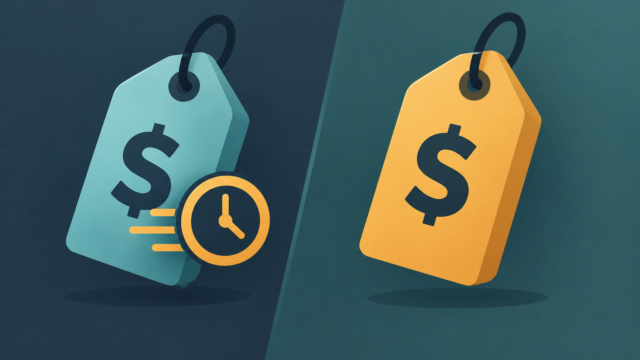
| Pro (~$15–18/mo, cheaper annually) | One person who designs weekly | One user only. No team features |
| Business / Teams (~$20–25 per user) | Two or more people sharing brand assets | Per seat, no volume discount — ten people is ten times the cost |
| Enterprise | Large organisations | Custom quote, with a substantial seat minimum |
The per-seat structure is the thing to model before you commit. There’s no bulk break until you’re negotiating an enterprise contract, so a growing team’s costs climb in a straight line rather than flattening out. Cutting business costs with AI covers how to think about that kind of line item.
How the AI credits work — and where they go
Every AI feature draws from one shared monthly pool. Image generation, copywriting, background removal, magic resize — all the same bucket. That’s the design decision that surprises people, because it means a morning of background removals can leave you unable to generate an image.
Three things worth knowing:
- Not all uses cost the same. Premium features consume the pool considerably faster than basic ones, so “500 credits” doesn’t mean 500 generations.
- Premium AI video is billed per generation on top of your subscription. It isn’t covered by the plan or the credit pool. If you’re producing AI video regularly, treat it as a separate usage-driven cost and watch it — this is the most common surprise on a Canva bill.
- There’s a live credit tracker in-app as of March 2026. Check it before starting a big session rather than discovering you’re dry halfway through.
When you run out, you wait for the monthly reset or buy an add-on. There’s no casual top-up.
The Affinity angle nobody mentions
The sleeper story of 2026. Canva acquired the Affinity suite — Photo, Designer, Publisher — and made the base software free this year. The professional AI features inside it require a Canva Pro subscription.
That reframes the purchase entirely. If you were previously paying for a full creative suite elsewhere at several times the price, a Canva Pro subscription plus free professional design software is a materially different proposition from “a template tool with AI.”
It won’t replace a professional workflow that needs prepress or broadcast video. For most small businesses and freelancers, it comfortably covers what they were overpaying for.
Where Canva AI disappoints
Image generation quality. Competent, not class-leading. Dedicated generators produce better output — Canva wins on being in the place you’re already designing, not on quality. The comparison is in Canva AI vs Adobe Firefly and Midjourney vs Firefly for commercial use.
Everything looks like Canva. Templates are the strength and the weakness. Designs assembled quickly from popular templates are recognisable as such, which is fine for a Tuesday social post and wrong for the thing your business is judged on.
Credit anxiety. A metered creative tool changes how you use it. People ration generations, which is the opposite of the exploratory behaviour that produces good design.
Price volatility. Canva has raised prices more than once and restructured credits mid-year. After the backlash it committed to giving notice before future changes, which is reassuring but also tells you what kind of product this is to budget for.
It won’t build your brand. AI design tools are good at applying a visual identity and bad at deciding one. That decision is still worth paying a human for.
Is it worth paying for?
Three questions, in order:
- Do you design weekly? If it’s monthly, stay free.
- Do you keep hitting a specific Pro feature? Background removal, brand kits, transparent exports. Name it. If you can’t, you don’t need Pro.
- Is anyone else touching these files? If yes, you need the team tier, and you should price that properly before starting.
Two yeses means pay. One means wait a month and see. Zero means the free tier is doing its job.
Worth noting how it fits a wider stack: at roughly the same monthly cost as ChatGPT Plus or Claude Pro, a design subscription is a genuine second line item — not a rounding error. Our best AI tools for small business owners roundup puts it in order of priority.
Verdict
The honest summary of this Canva AI review: the best AI design tool for people who aren’t designers, and the free tier is better than the paid marketing wants you to believe.
Start free. Stay free until a specific feature blocks you — and when it does, note whether that feature is actually AI or just collaboration, because those cost different amounts.
If you do upgrade, the Affinity bundle makes Pro better value than it looks on the pricing page. And if your main need is generating images rather than laying them out, a dedicated tool will serve you better — Canva AI vs ChatGPT for visual content and Canva vs Adobe Express cover the alternatives.
Frequently Asked Questions
Is Canva Pro worth it in 2026?
Only if you design weekly and can name a specific Pro feature you keep hitting — background removal, brand kits or transparent exports. If you can’t name one, the free tier is enough.
Is the Canva free plan actually free?
Yes, permanently. No credit card and no expiry, with millions of templates, storage, real-time collaboration on shared designs and a monthly AI credit allowance.
Can two people share a Canva Pro account?
No. Pro is a single-user licence. Team features, shared brand controls and proper collaboration sit on the business tier, priced per seat with no volume discount.
How do Canva AI credits work?
All AI features draw from one shared monthly pool, and premium features consume it faster than basic ones. When it’s empty you wait for the reset or buy an add-on. An in-app tracker shows your balance.
Is AI video included in Canva Pro?
Premium AI video generation is billed per use on top of the subscription and isn’t covered by your credit pool. Anyone producing AI video regularly should treat it as a separate cost.
Is Canva’s AI image generation good?
Competent rather than class-leading. Dedicated generators produce better images. Canva’s advantage is that generation happens inside the tool where you’re already laying out the design.
What is the Affinity bundle?
Canva acquired the Affinity design suite and made the base software free in 2026, with its professional AI features requiring Canva Pro. For anyone previously paying much more for a creative suite, that changes the value calculation considerably.


2 comments