Plaud Note Pro Review: The $189 Is the Cheap Part
The short version: The Plaud Note Pro is a $189 credit-card-sized recorder with four microphones, an AMOLED screen, and 64GB of storage that turns conversations into transcripts, summaries, and action items across 112 languages. The device price is not the decision. The decision is transcription minutes: 300 a month are free, 1,200 cost $99.99 a year, and unlimited costs $239.99 a year. Work out which bucket your week falls into before you buy, because the wrong bucket doubles your cost.
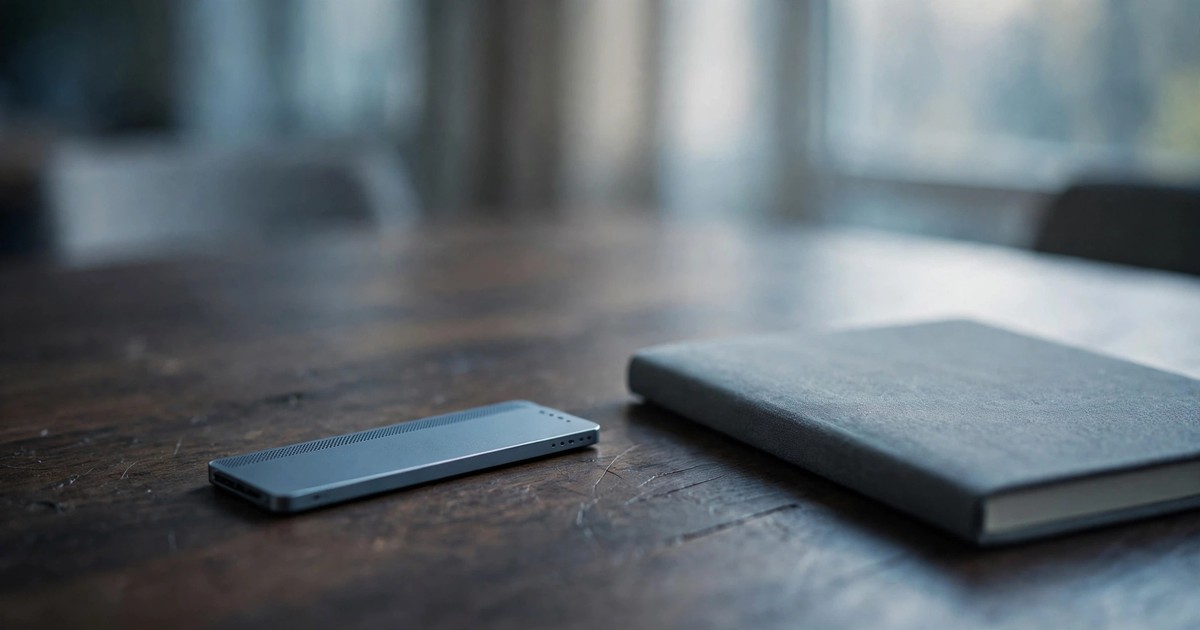
The Plaud Note Pro is a dedicated AI voice recorder: a thin, credit-card-sized piece of hardware you tap to record in-person meetings and phone calls, which then syncs the audio to an app and converts it into transcripts, speaker-labelled summaries, and searchable notes. Plaud launched it in 2025 as the flagship of a lineup that also includes the $159 Plaud Note and the $179 wearable NotePin S, and the company says it has sold more than 1.5 million devices in total. It is aimed at consultants, journalists, clinicians, and anyone whose work happens in rooms rather than on Zoom — though a January 2026 desktop app now lets Plaud record online meetings too, which changes the comparison.
This review is for freelancers and small-business owners deciding whether a dedicated recorder earns its place in a tech stack that already has a phone, a laptop, and probably a ChatGPT or Claude subscription. Every price below was checked against Plaud’s own subscription page on 17 October 2026, and cross-checked against PCWorld’s June 2026 hands-on review and notebookcheck’s October 2026 update. Where sources disagree, you will see both figures.
Plaud Note Pro: The Pricing Is the Product
Here is the honest arithmetic that most launch coverage buries in paragraph six. The hardware is a one-time $189. The AI processing — transcription, summaries, Ask Plaud — runs on a subscription measured in transcription minutes per month:
| Plan | Price | Minutes / month | What it works out to |
|---|---|---|---|
| Starter | Free with the device | 300 | 5 hours — fine until it isn’t |
| Pro | $99.99 / year or $17.99 / month | 1,200 | 20 hours; our calculation: ~0.7¢ per minute on the annual plan, ~1.5¢ monthly |
| Unlimited | $239.99 / year or $29.99 / month | No cap (up to 24 hours / day) | Insurance against heavy months |
Two details matter more than the table. First, recording is never capped: if your minutes run out mid-month, the Note Pro keeps capturing audio and only transcription pauses until the quota resets or you buy a top-up (per Laxis’s 2026 FAQ roundup, secondary). You never lose the raw conversation. Second, Plaud’s own FAQ says you cannot cancel a subscription from the brand website — cancellation means contacting after-sales support. That is not a dealbreaker, but it is the kind of friction you should know about before you hand a vendor $240.
The 300-minute free tier deserves respect. Plaud lists Ask Plaud, custom templates, 10,000+ summary templates, and 112 transcription languages on every tier, free included, and the AI models behind it are GPT-5.5, Gemini 3.1 Pro, and Claude Sonnet 4.6, per Plaud’s own page. One secondary outlet quoted different monthly figures (Pro at $21.99, Unlimited at $35.99); the official page says $17.99 and $29.99, so use the official numbers and treat that outlet as a regional or stale quote.
What 300 Free Minutes Really Buys You
Minutes are the currency, so convert your week into minutes before anything else. A 60-minute client interview is 60 minutes against the cap; so is a two-hour site meeting. Here is what the buckets cover in practice (our calculation):
- One 1-hour meeting a week = about 260 minutes a month. Fits Starter comfortably, with room for a phone call or two.
- Two 1-hour meetings a week = about 520 minutes a month. Starter blows past it; Pro covers it with headroom.
- A 30-minute daily standup, five days a week = about 650 minutes a month. Pro territory.
- Four hours of back-to-back calls a day = over 5,000 minutes a month. Only Unlimited survives, and this is exactly who it was built for.
PCWorld’s hands-on testers, who rated the device 4.5 out of 5, land on the same rule of thumb: if you use it regularly, the 300 free minutes run out quickly, and $99.99 a year is the realistic working cost. Add the $189 device and the honest year-one budget for a working professional is $288.99, not $189. Compare that with the real cost of running AI tools we have documented before: sticker prices are invitations, not totals.
Plan Your Own Year of Plaud Minutes
Plaud minutes planner. Enter how many hours of conversation you expect to record in a typical week, and the planner shows which plan covers you and what year one really costs, device included.
How the planner works. Weekly hours are multiplied by 60 and by 4.33 (weeks per month) to get monthly transcription minutes. The planner picks the cheapest tier whose monthly allowance covers that number — Starter (300), Pro (1,200), or Unlimited — then adds the $189 device to the plan’s yearly price. Per-minute cost is the annual price divided by the annual minute allowance; Unlimited is shown as a falling average because the allowance has no practical ceiling for a human schedule. These are our calculations, not Plaud’s marketing.
Plaud Desktop Changed the Comparison
Until January 2026, Plaud’s pitch was simple: your phone on the table is an unreliable recorder; a dedicated device with four microphones and a 16-foot pickup range is not. Then, ahead of CES 2026, Plaud launched a Mac desktop app that detects when a meeting is active, records system audio, and produces structured notes without a bot joining the call (TechCrunch, 4 January 2026). The company explicitly positioned it against Granola, Fathom, and Fireflies.
That move matters for the buying decision. Plaud’s retail listings describe Desktop access as a device-paired feature — we could not confirm a standalone software-only tier — which means the digital-meeting world still pays the $189 hardware toll to get in. On pure Zoom work, a free-tier Otter or Fireflies captures the same meeting for $0, and Plaud’s 1.5 million devices sold were all earned in the in-person world. The desktop app makes Plaud a two-front product — one more contender among AI productivity tools for meeting-heavy teams — and the pricing has not caught up to that ambition yet.
Who Should Not Buy the Plaud Note Pro
Reviews of this device tend to list features. The more useful list is the negative one:
- Your meetings are all on Zoom, Meet, or Teams. You do not have the capture problem Plaud solves. Software notetakers do this job for free; the $189 buys you nothing but a second subscription.
- You already pay for ChatGPT Plus or Claude Pro and rarely record. Your phone’s voice recorder plus a quick upload to the LLM you already pay for gets you 80% of the workflow at zero marginal cost. Plaud’s edge is consistency and one-tap capture, not intelligence.
- You record infrequently and inconsistently. At two hours a month you will never leave the free tier, which is fine — but make sure $189 is worth a prettier workflow than your phone already gives you.
- You record people in regulated settings. Two-party consent laws apply to hardware recorders exactly as they do to software ones. Check our guide to AI meeting-recorder consent laws before the device leaves the box. Plaud also lists SOC 2 Type II, GDPR, ISO 27001/27701, and HIPAA compliance on its subscription page, which is more paperwork than most competitors publish — ask your compliance officer, not a review, whether it is enough.
If you are still deciding how a new tool fits your stack, run it through the same AI tool evaluation checklist we use before recommending anything.
Where the Reviews Agree, and Where They Don’t
The hands-on reviews converge on the hardware: notebookcheck’s October 2026 update praises recording quality, transcription, and the 10,000+ summary templates while flagging the 300-minute free tier as the weak point; dapperandgroomed’s three-month daily-use review highlights speaker separation and Ask Plaud, with the caveat that there is no live transcription — you record first, then sync, then read. If you need words appearing in real time, this is not that tool.
Where things get murky is the long tail of pricing. One business outlet quoted monthly rates well above Plaud’s official page; the official numbers (checked 17 October 2026) are the ones to plan against. And the newest frontier, the $249.99 Plaud One earbuds announced at IFA Berlin 2026 with $200 of AI credits and shipments expected in Q4 2026, ships with a promise that Plaud itself has not finalized: the company says the long-term credit structure for its agent features is not yet set. Treat that headline price the same way you treat the Note Pro’s $189 — as the start of the bill, not the bill.
Who the Note Pro Is Actually For
The device earns its money where the alternative is worse. Consultants running client workshops, journalists doing long interviews, field sales reps, students recording lectures, clinicians dictating notes — anyone whose recordings happen in rooms, on sites, or over phone calls, where a bot cannot join and a phone left on the table picks up the coffee machine. Freelancers who live on client interviews fit the same pattern — the recorder slots into a freelancer’s AI toolkit as the capture layer, not the thinking layer. For that person, 300 free minutes a month covers a light interview schedule, and the $99.99-a-year Pro plan covers a working one, at roughly 0.7 cents per transcription minute on our calculation.
That is the real review in one sentence: the Plaud Note Pro is a genuinely good recorder attached to a subscription you should price before you admire the hardware. Do the minutes math first; if it survives that, the device will not disappoint you.
Does the Plaud Note Pro work without a paid subscription?
Yes. Every device includes the free Starter plan: 300 transcription minutes a month with the same summaries, templates, and Ask Plaud as paid tiers. Recording itself is unlimited regardless of plan — when minutes run out, only transcription pauses until the monthly reset or a top-up.
What counts against the transcription minutes?
Only processed audio — the time Plaud’s cloud transcribes and summarizes. Audio you record but never send for processing does not count. That is why the recording-is-free, transcription-is-metered split matters: a 3-hour conference recording only burns minutes for the parts you ask it to turn into notes.
Can the Note Pro record phone calls?
Yes. It attaches magnetically to the back of your phone and captures both sides of the call through the handset without Bluetooth pairing. The tradeoffs, per owner reviews: you cannot use headphones while recording a call, some Android handsets are fussier than iPhones, and call-recording consent laws apply.
What is the difference between the Plaud Note and the Note Pro?
The $159 Plaud Note and the $189 Note Pro share the same storage, size, app, and subscription plans. The Pro adds a small AMOLED display, four microphones instead of two, roughly a 16-foot pickup range instead of 10 feet, automatic switching between call and meeting modes, Apple Find My, and a longer endurance battery mode (per Laxis’s comparison, secondary).
Is the desktop app a separate subscription?
There is no separate desktop subscription on Plaud’s pricing page — the same minute plans apply across app, web, and desktop. What we could not confirm: whether Desktop works without a Plaud device. Plaud’s retail listings describe Desktop access as a device-paired feature, so plan on owning the hardware.
Is it legal to record meetings with it?
That depends on your jurisdiction’s consent rules, not on the device. In one-party-consent regions your own consent is usually enough; in two-party or all-party regions every recorded person must agree. Our consent-laws guide for AI meeting recorders walks through the rules state by state — read it before you press record.
Shurah is the founder of AI Tools Daily, tracking pricing, licensing and policy changes across AI tools so readers can make decisions without wading through marketing claims themselves.
If your research lives in documents rather than recordings, the free alternative is worth a look — our NotebookLM review tests Google’s research assistant that answers only from your uploads, plus the bundle pricing trap in the paid tiers.