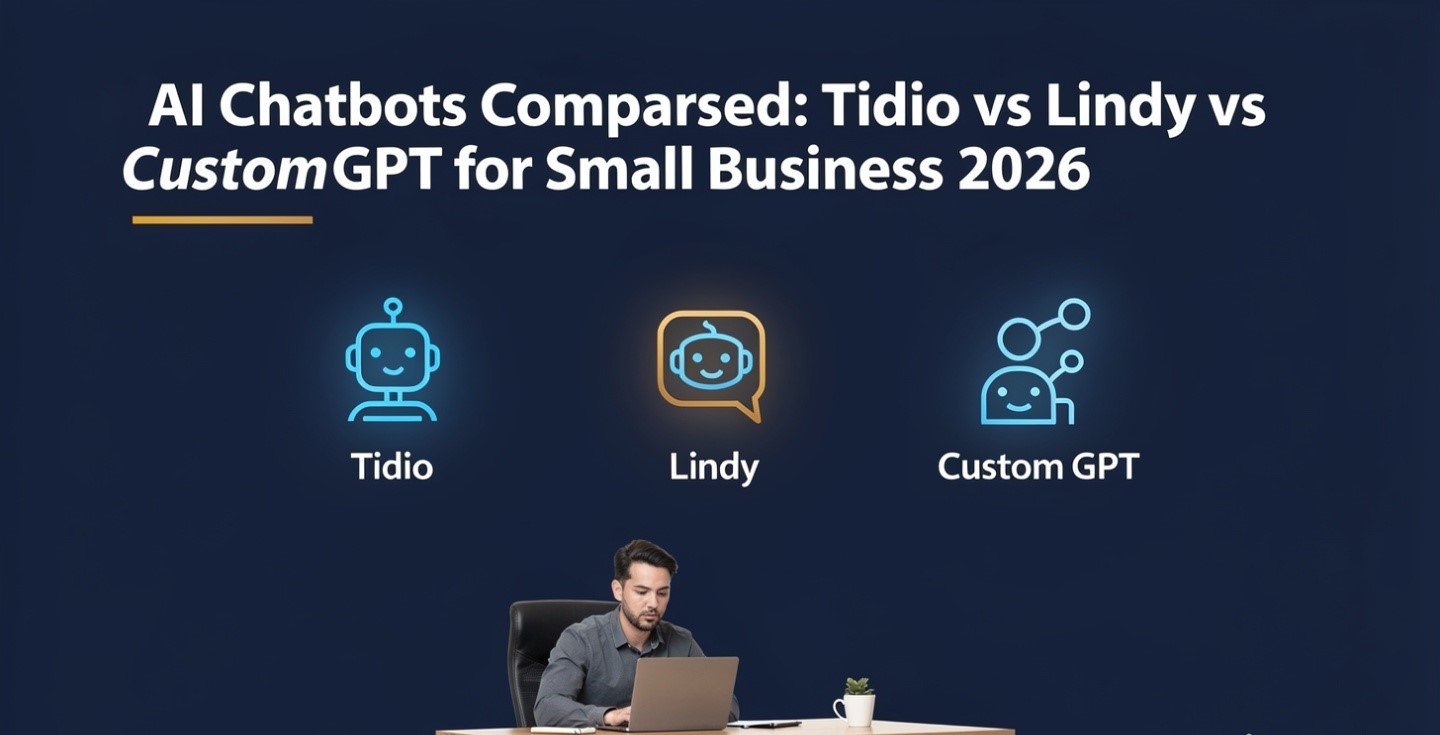
The Tidio vs Lindy vs custom GPT question gets asked as if these are three ways to do the same thing: put an AI chatbot in front of a small business. In 2026 that framing is broken. All three products changed this year — one of them changed five days before this article was written — and they now answer three completely different questions. Pick the wrong one and you don’t get a worse chatbot. You get a tool pointed at the wrong people.
This guide covers what each one actually is now, how each one bills you (they meter three different units), what a realistic small business pays, and the single question that resolves the choice in about a minute. Pricing and feature details were checked on 21 August 2026 and this market reprices constantly — verify on the vendor’s own page before you buy.
Tidio vs Lindy vs custom GPT: three answers to three different questions
Before any pricing table, answer this: who is on the other side of the conversation?
| Option | Who it talks to | Where it lives | What it is in 2026 |
|---|---|---|---|
| Tidio (with Lyro) | Your customers | Your website widget, socials, helpdesk | A live chat and support platform with a separately sold AI agent |
| Lindy | You — and people on your behalf | Your inbox, calendar, meetings | A pre-assembled AI executive assistant, with an agent builder underneath |
| Custom GPT | You and your staff | Inside ChatGPT | A saved, instruction-tuned assistant over your own documents |
That table does most of the work. If the AI needs to answer a stranger who landed on your product page at 11pm, Lindy and a custom GPT are not candidates. If the AI needs to triage your inbox, Tidio is not a candidate. If you want your team to stop asking the same five internal questions, a custom GPT is the cheap answer and the other two are overkill.
Most comparison articles skip this because “three chatbot tools compared” is an easier page to write. The honest version is that in the Tidio vs Lindy matchup specifically, the two products barely overlap at all.
What changed in 2026 — and why older comparisons are wrong
Three separate changes landed this year. Any article that predates them is describing products that no longer exist.
Custom GPTs became a business-workspace feature (16 August 2026)
This is the big one. OpenAI’s help documentation now states that new GPT creation and publishing are not available on personal ChatGPT accounts — Free, Go, Plus and Pro alike. Creation lives in Business, Enterprise and Edu workspaces, subject to workspace settings and permissions. Existing GPTs still work, and you can still edit ones you already built if your plan and permissions allow it. The GPT Store is closed to new submissions from individual accounts.
Read that again if you’re on Plus. The advice in nearly every “build a custom GPT for your business” tutorial online — including guides published earlier this year — is now something you cannot do on your plan. Our own guide to building a custom GPT for business was written around this restriction; most weren’t.
The practical consequence is a price floor. To build a new custom GPT you need a ChatGPT Business workspace, which is listed at $20 per user per month billed annually or $25 monthly, with a two-seat minimum. So the “free-ish DIY option” now starts at roughly $40–50 a month.
Lindy stopped being an agent builder (February 2026)
Lindy spent its first years as a no-code platform where you assembled agents from triggers, conditions and actions. Multiple 2026 write-ups report that in February 2026 it relaunched as a consumer-facing AI executive assistant: one pre-assembled assistant focused on email, calendar and meetings, with the builder still underneath and emphasised for teams. The free plan was dropped in the same repricing.
If you’re reading a Lindy guide that mentions a free plan with 400 credits a month, a $19.99 Starter tier or a $299 Business tier, it predates the pivot. Guides published as late as this year still describe that free plan — treat any credit numbers you find outside Lindy’s own pricing page as historical.
Tidio split into three separately purchased products
Tidio’s AI agent is called Lyro, and it is no longer simply “included in the plan.” Tidio now sells Customer Service, Lyro AI Agent and Flows as three components that can be bought individually or bundled, each with its own meter. That structure is the single most misreported thing about Tidio pricing.
Tidio and Lyro: the customer-facing option
Tidio is the only one of the three built to talk to your customers at scale, with a widget, ticketing, agent handoff and native ecommerce integrations. Tidio’s own marketing claims Lyro resolves 67% of customer problems on average.
Treat that number as a ceiling, not a forecast. Independent breakdowns put a realistic range closer to 40–60% without an unusually well-maintained knowledge base, while Tidio’s published case studies run from roughly 73% to 94% on well-tuned deployments. Worth noting: several of the most detailed critiques of that figure are published by companies selling competing chatbots, so read the low numbers with the same scepticism as the high one. What both sides agree on is that resolution rate is a function of your documentation, not the vendor’s model — which is exactly the argument in our guide to building an AI chatbot without code.
Reported pricing as of August 2026, with the caveat that trackers disagree:
- Free: $0, around 50 billable conversations, up to 10 seats, and a one-time lifetime pool of 50 Lyro conversations — not 50 a month.
- Starter: ~$29 monthly, ~$24 annual, around 100 billable conversations.
- Growth: ~$59 monthly, ~$49 annual, scaling by conversation volume up to about 2,000.
- Plus: widely reported at $749/mo, though at least one tracker lists $300 — a large enough gap that you should confirm it directly.
- Premium: quote-only; third parties cite figures around $2,999/mo. Reported to be the only tier carrying a contractual 50% resolution guarantee.
- Lyro add-on: from about $32.50 annual / $39 monthly for a small conversation pack, scaling to 1,000. Sources disagree on what the entry pack contains (50 vs 100 conversations).
Two structural details matter more than the headline price. Self-service plans cap at 10 agent seats, and the jump from Growth to Plus is enormous with nothing in between — so growth past a certain volume isn’t a step, it’s a cliff. And Tidio is reported to auto-upgrade you at around 95% of quota, with an in-app banner rather than an email. Set your own alert well below that.
Lindy: an internal assistant, not a support bot
Lindy in 2026 connects to Gmail or Outlook and works on your side of the business: inbox triage, drafting replies in your voice, scheduling, meeting prep and recording, and follow-ups. The builder underneath can still run sales and support workflows, and Lindy markets voice agents with rented phone numbers — but the flagship product is an assistant for you, not a widget for your customers.
Reported tiers: Plus $49.99, Pro $99.99 and Max $199.99 per month, with Enterprise custom and a 7-day trial instead of a free plan. One tracker lists Pro at $59.99, so confirm before you commit. Some coverage also mentions a one-time Enterprise onboarding fee in the region of $1,500 that doesn’t appear on the public page.
Underneath the sticker price is a credit meter, and this is where Lindy gets genuinely hard to budget. Per Zapier’s breakdown, every task costs at least one credit, most tasks cost one to three credits on basic models and around ten on more advanced ones, and overages are billed at double the standard credit rate. Lindy does not publish a dollar-per-credit figure. Phone numbers are reported at $10 each per month with per-minute call costs on top, and browser-driving “computer use” tasks are reported to be among the hungriest.
There’s a review split that tells the whole story: Lindy holds roughly 4.9/5 on G2 across a few hundred reviews and around 1.7/5 on Trustpilot, where the complaint stream is dominated by billing surprises and post-cancellation charges. Both can be true. People rating the product rate it highly; people rating the invoice don’t. That is a metering problem, not a capability problem — the same failure pattern we mapped in what AI agents can and can’t do.
Custom GPT: the cheapest option, with a new door charge
A custom GPT is a saved set of instructions plus your uploaded documents, living inside ChatGPT. No widget, no ticketing, no handoff, no analytics. Its strengths are unglamorous and real: it is fast to build, it costs nothing extra to run once you have seats, and it is excellent at internal work — onboarding answers, proposal boilerplate, brand-voice drafting, “what’s our policy on X.”
What it is not is a customer support system. There is no queue, no SLA, no escalation path, and no way to put it on your website. If that’s what you need, you’re back to the Tidio column or to a proper no-code customer support system.
The 16 August change adds one genuinely important warning. If you already built custom GPTs on a personal plan, you keep them and can generally still edit them — but you cannot make new ones on that account. That means any business process you’ve built on top of GPT creation is now non-extensible on your current plan. Before you build a fourth one, decide whether you’re opening a Business workspace or moving that work into Projects, uploaded knowledge, or an equivalent feature on another assistant. Our ChatGPT review for 2026 covers what the paid personal tiers still include.
Three products, three meters — and three different failure modes
This is the part that decides your bill. Each product meters a different unit, and each one breaks differently when you hit the wall.
| Tidio + Lyro | Lindy | Custom GPT | |
|---|---|---|---|
| Billing unit | Three parallel meters: billable conversations, Lyro conversations, flow triggers | Credits per task, variable by model and complexity | Seats (2-seat minimum) |
| What drives cost | Customer volume | Agent activity and model choice | Headcount |
| At the wall | Reported auto-upgrade to a higher tier around 95% of quota | Overages reported at 2× the standard credit rate | Rate limits; optional workspace credits for more |
| Failure mode | Quiet tier escalation | Unforecastable invoice | Boring and predictable |
| Forecastable? | Roughly, if you know your ticket volume | Poorly — no published cost per credit | Yes |
One detail on Tidio worth internalising: flow triggers bill per visitor reached. If your pop-up appears and the visitor ignores it entirely, that still counts. And a Lyro conversation is reported to cover all AI replies within a single connected case, though at least one breakdown reports that a gap in the conversation can start a new billable one — a definitional difference that changes your bill meaningfully at volume.
What a small business actually pays
Take a business with roughly 300 customer conversations a month, two people who’d use an internal assistant, and one owner drowning in email.
| Setup | Realistic monthly cost | What you get |
|---|---|---|
| Tidio Growth + Lyro pack | Third-party estimates cluster around $150–210 once the AI add-on, and often branding removal at ~$20, are included | Customer-facing AI, live chat, handoff, ecommerce integrations |
| Lindy Plus | $49.99 floor, realistically higher once voice, phone numbers or heavier models are used; overages at 2× | Inbox triage, scheduling, meeting prep for one person |
| ChatGPT Business, 2 seats | $40 annual / $50 monthly | Custom GPTs, shared workspace, admin controls, no training on your data by default |
Notice the ranking. The cheapest option is the one that cannot talk to your customers, and the most expensive is the one that can. That isn’t a quality gradient — it’s a risk gradient. Customer volume is unbounded and someone has to carry it. Seat pricing is bounded, which is why it’s cheap and why it can’t do the customer-facing job.
If your real goal is a smaller software bill rather than a chatbot, start with the audit method in our guide to cutting business costs with AI before adding any of these.
How to choose in five minutes
- Is the AI talking to customers? If yes, only Tidio is a candidate from this list. Stop here.
- Is it triaging your inbox and calendar? If yes, Lindy — but assume the sticker price is the floor, and cap spend before you scale usage.
- Is it answering internal questions from your own documents? A custom GPT on a Business workspace, or the equivalent knowledge feature in whichever assistant you already pay for.
- Do you have fewer than 100 customer conversations a month? Don’t buy a support platform yet. Answer them yourself, log the questions, and write the answers down. That documentation is the actual product — see using AI in customer service without losing the human touch.
- Is the job “connect these five apps when X happens”? None of these three is the cheapest route; that’s a workflow automation problem, covered in how to automate work with AI tools.
The honest limits
Tidio’s ceiling is structural: 10 seats on self-service plans and a very large gap before the next tier. Lindy’s ceiling is financial: no published credit cost, 2× overages, and a review profile that suggests plenty of buyers found that out on the invoice. The custom GPT ceiling is the newest: the route now requires a paid workspace, and OpenAI has shown it will move features between plan tiers with little warning — which is a reason not to build anything load-bearing on a single vendor’s feature availability.
None of the three is a fit-and-forget purchase. Each needs an owner, a review date, and a monthly look at the meter.
Frequently asked questions
Can I still create a custom GPT on ChatGPT Plus?
No. OpenAI’s help documentation states that new GPT creation and publishing are unavailable on personal accounts including Free, Go, Plus and Pro. Existing GPTs remain usable and can still be edited if your plan and permissions allow. Creation is available in Business, Enterprise and Edu workspaces.
Is Lyro included in the Tidio plan price?
Not in any meaningful quantity on the cheaper plans. Reports indicate the free and entry tiers include a one-time pool of around 50 Lyro conversations rather than a monthly allowance, after which Lyro is a separate add-on starting around $32.50–$39 a month.
Does Lindy still have a free plan?
No. Coverage of the early-2026 repricing reports the free plan was discontinued, replaced by a 7-day trial with paid tiers starting at $49.99 a month. Guides mentioning 400 free credits describe the older product.
Which is cheapest for a small business?
A ChatGPT Business workspace at two seats, at roughly $40–50 a month — but only because it does the narrowest job. It cannot serve customers on your website, so it isn’t a substitute for Tidio.
Can Lindy replace Tidio for customer support?
Its builder can run support-style workflows, but Lindy’s 2026 flagship product is an internal executive assistant. For a website widget, ticket queue, agent handoff and support analytics, Tidio is the product designed for the job.


1 comment